Case study · Side project · 2026
SkillLabClasses that write and teach themselves.
A self-hosted learning platform built on the Claude Agent SDK. Give it a topic and a designer agent researches it and builds a complete class: lessons, diagrams, quizzes, code exercises and assessments, with cited sources. Students then work through it with a tutor agent beside every lesson that guides instead of giving answers away.
- Role
- Solo: design, engineering, UX
- Timeline
- Nov 2026
- Platform
- Self-hosted · Linux desktop · Android
- Core
- Claude Agent SDK + Tauri
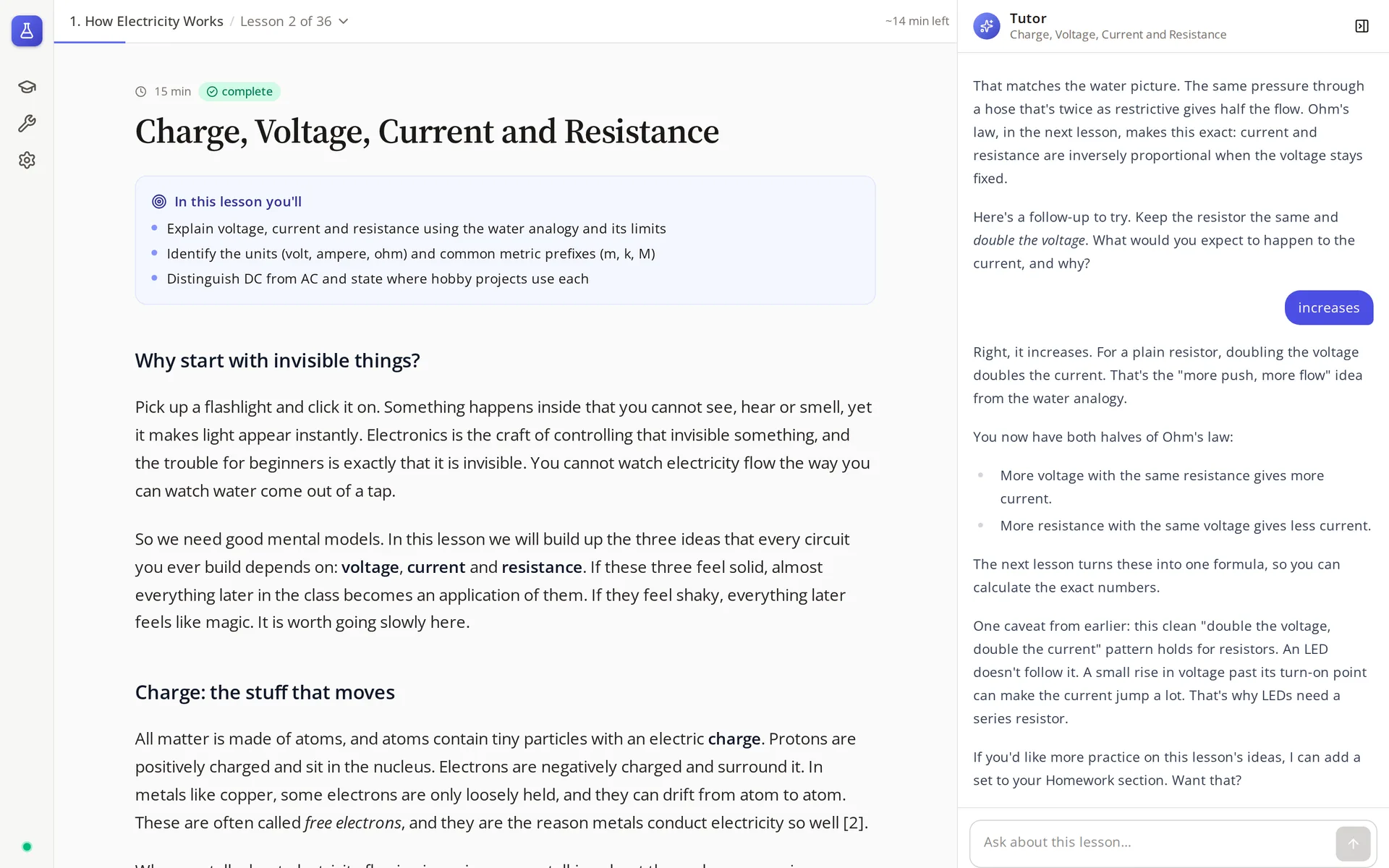
A generated lesson with its tutor. The student answers “increases”; the tutor confirms, connects it to Ohm's law and flags where the rule breaks down for LEDs.
58
lessons generated
4
specialised agents
7
interactive block types
~8.7k
lines of TypeScript
The problem
Chatting with an LLM is a good way to ask questions and a poor way to learn a subject. There's no syllabus, no practice that checks your work, no memory of what you got wrong, and it will happily hand over the answer you were supposed to work out.
The approach
Split the job between agents with narrow roles and give them a real course structure to work in. One designs a structured class from researched sources; another tutors inside it, with the answer keys held back on the server. Grading, progress and homework are handled by the app, not left to the chat.
How it works
- 01
Describe
A topic, a level and optional scope notes: “basics of electronics, leading up to microcontrollers (ESP32 focused).”
- 02
Research
The designer searches the web, prefers primary sources and records each one in the class bibliography for citation.
- 03
Outline
It proposes modules and lessons with objectives and timings, then stops and waits for the admin to approve.
- 04
Write
Lessons are written block by block through typed tools, with a live preview updating as it works.
- 05
Teach
Students work through it with a tutor beside every lesson, graded practice and homework written for them.
The designer
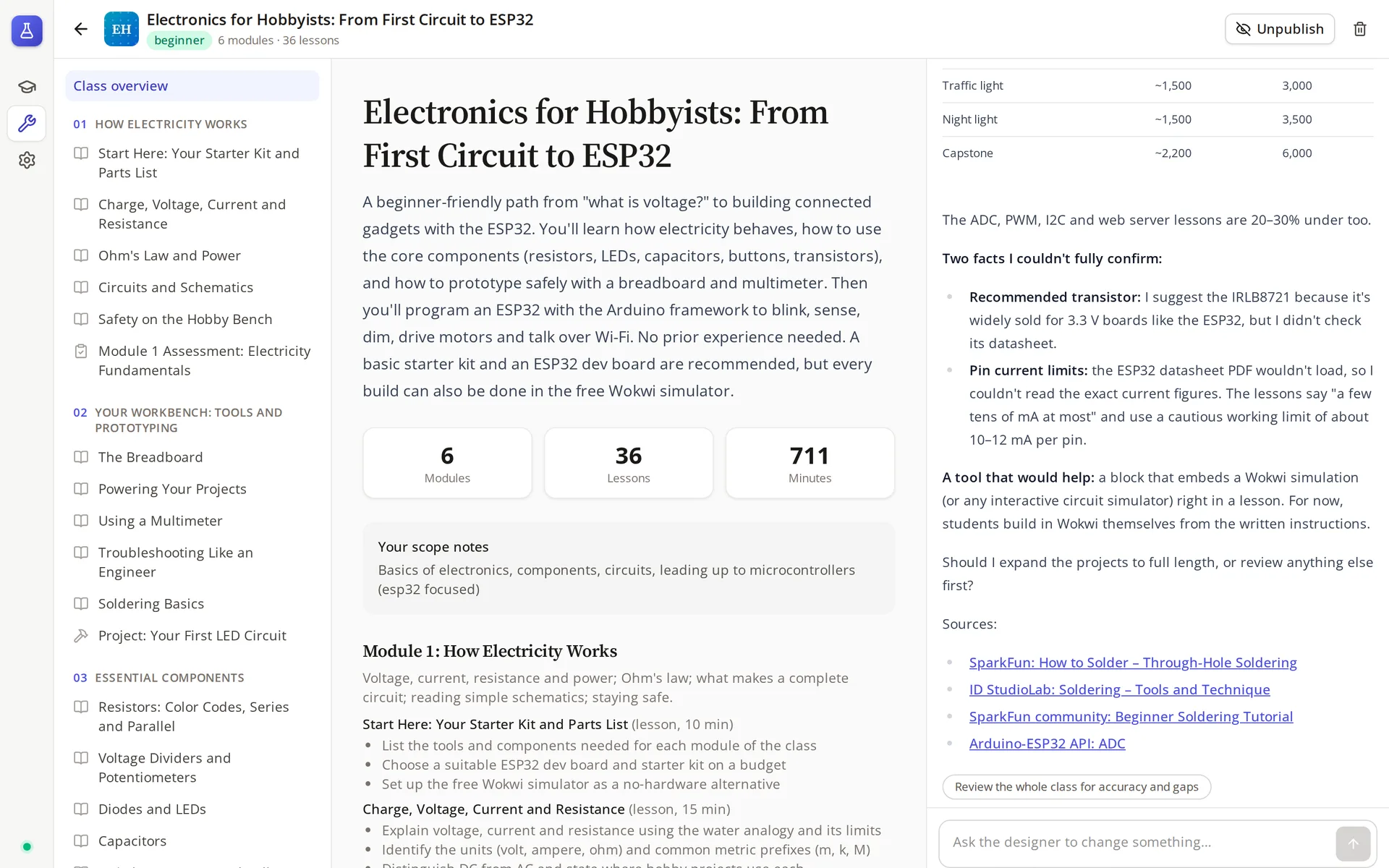
The admin view is the class outline, a live preview and a conversation with the designer. It builds the class in public: each tool call appears in the chat as it lands, and the preview updates beside it.
It's told to be honest about what it couldn't verify. In this run it flagged two facts it couldn't confirm (a datasheet that wouldn't load, so it chose a cautious pin current limit) and suggested a block type that would make the class better: an embedded circuit simulator.
Any lesson can still be edited by hand as JSON, and classes are published or unpublished in one click.
Lessons, block by block
A class is modules of lessons, and a lesson is a list of typed blocks. The designer chooses which blocks a lesson needs; the app renders, runs and grades them. These are from the two classes it has generated so far, Electronics for Hobbyists and Linear Algebra for Machine Learning.
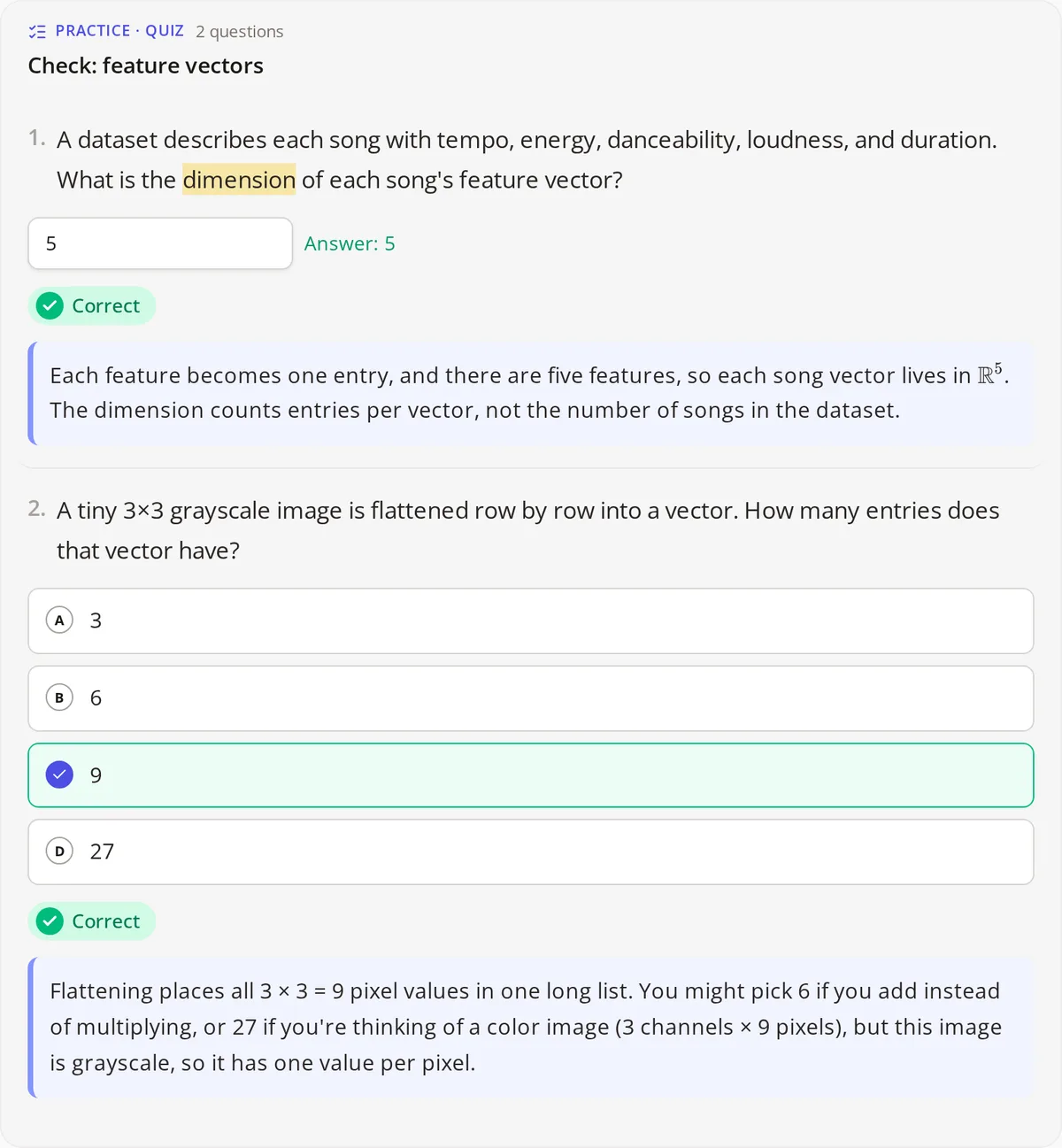
Quiz
Multiple choice, true/false, numeric and short answer. Three attempts per question, and the explanation unlocks only once it's answered.
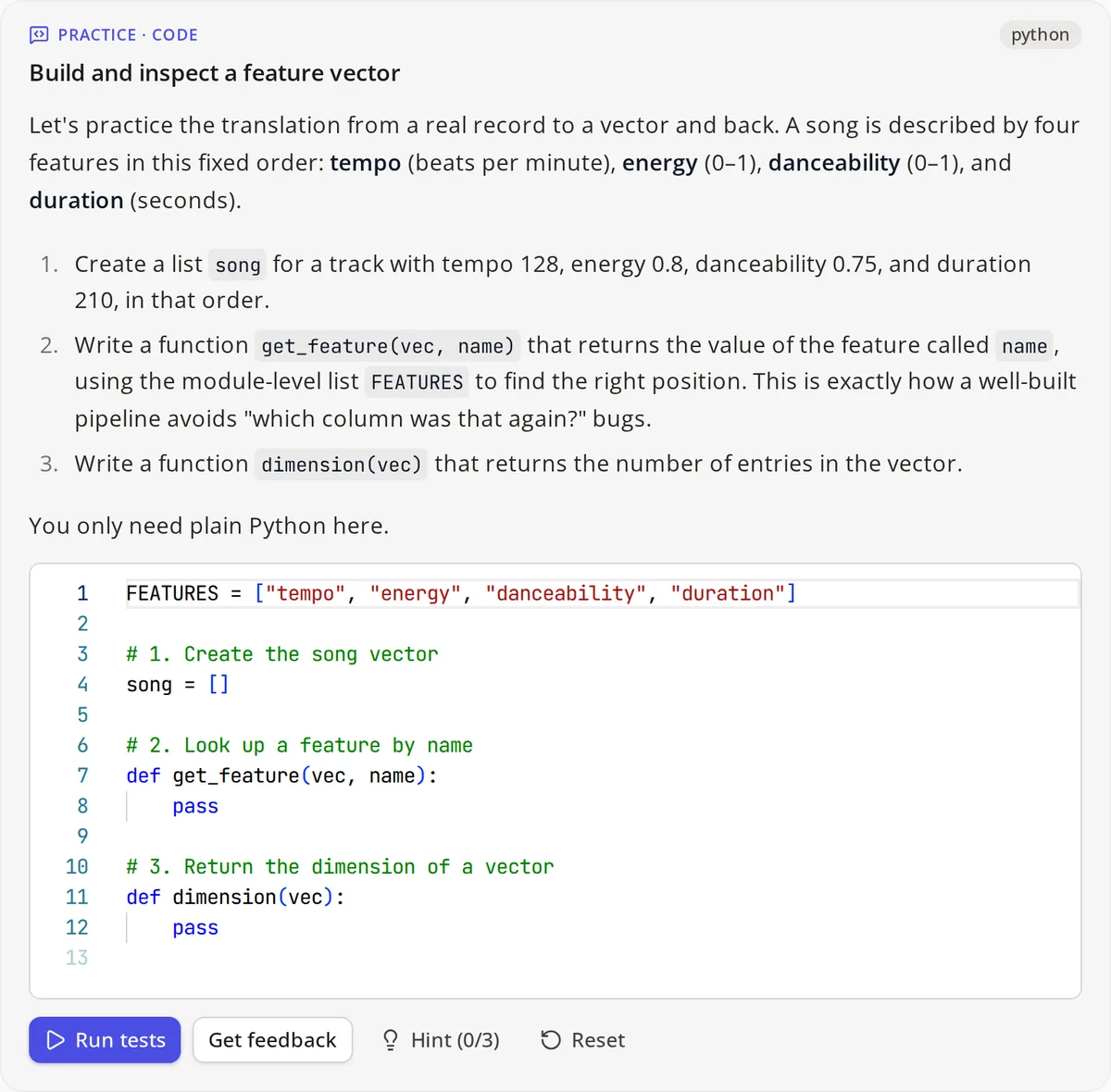
Code exercise
Starter code, tests, hints and a reference solution. Python runs in the app on Pyodide; JavaScript in a worker.
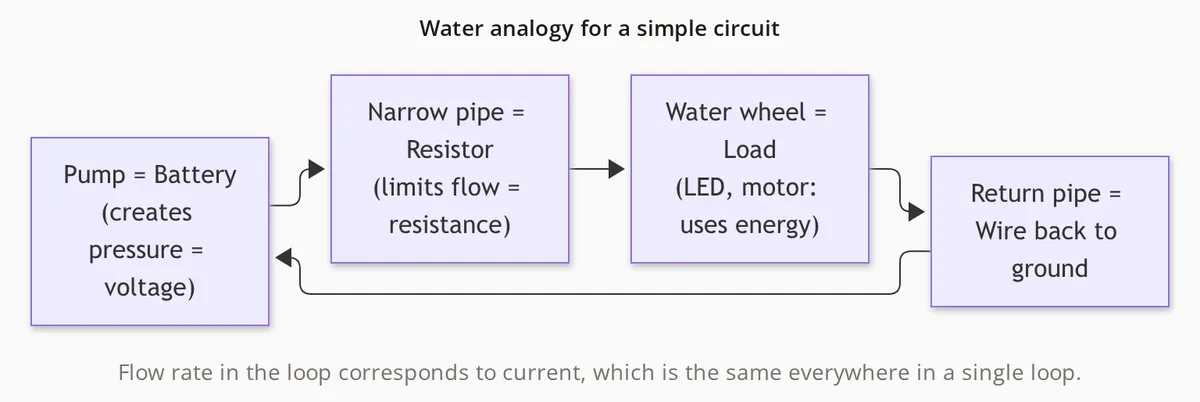
Diagram
Mermaid, written by the designer alongside the prose it illustrates.
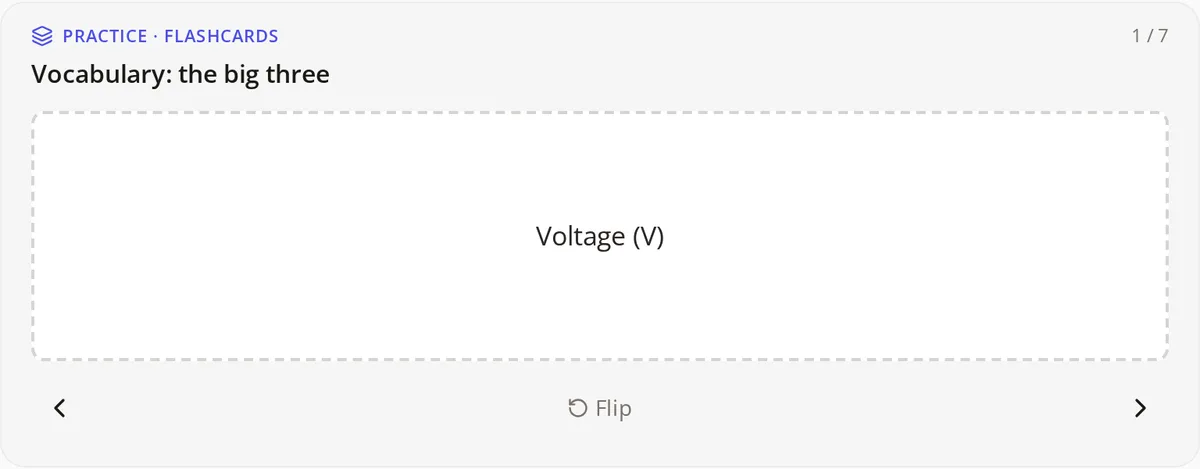
Flashcards
Flip-card decks for vocabulary, alongside markdown with LaTeX, callouts and rubric-graded written answers.
A tutor beside every lesson
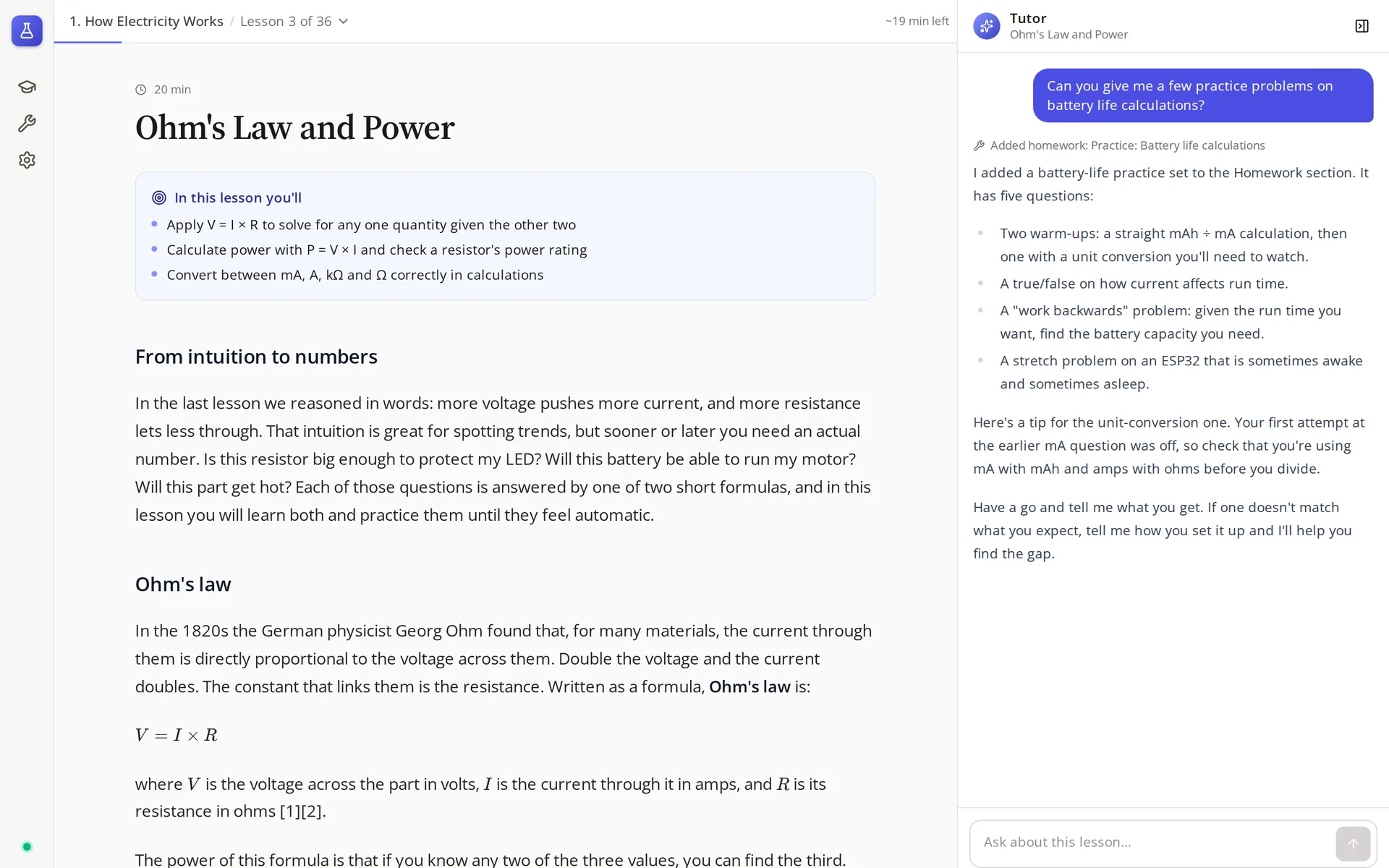
Asked for practice, the tutor writes a homework set aimed at the question the student got wrong earlier, then points out the unit conversion that tripped them up.
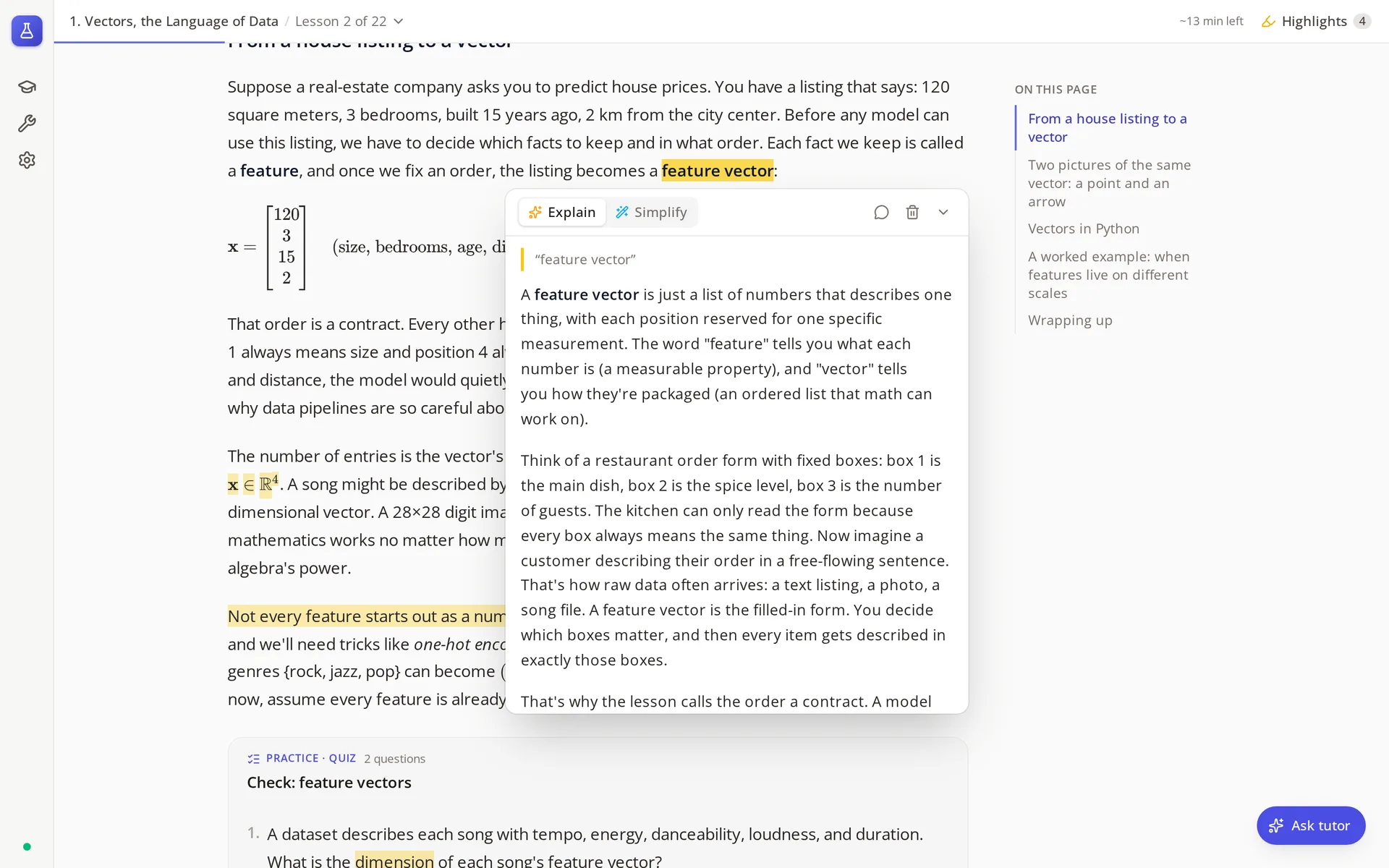
Highlight any passage to have it explained or simplified. Highlights are saved and painted with the CSS Custom Highlight API, so the lesson's DOM is never rewritten.
Agents and their models
- Designer
- Opus
- Researches, outlines, then writes the class through 12 schema-checked tools
- Tutor
- Sonnet
- One thread per lesson; sees the lesson without answer keys and the student's attempts
- Explainer
- Sonnet
- Explains or simplifies a highlighted passage, never a graded answer
- Grader
- Haiku
- Short answers, written responses and code reviews, as structured output
Engineering highlights
Answer keys never leave the server
Student-mode lessons are stripped of every field in HIDDEN_FIELDS before they're sent. The server grades each submission itself and reveals an explanation only after a correct answer or the last attempt. The tutor gets the same stripped copy, so it can't leak what it never saw.
The designer writes through MCP
Instead of emitting one giant JSON document, the designer edits the class through an in-process MCP server: create_lesson, append_blocks, add_sources and so on. Each call is validated against the shared Zod schema, so a malformed block is rejected with an error the agent can fix.
Runs that outlive the client
Agent output streams over server-sent events, but the run belongs to the server. Close the app mid-lesson-write and the designer keeps going and the result is saved; reconnect and it's all there.
Sessions that notice stale prompts
A resumed Agent SDK session keeps the system prompt it started with. Each thread stores a hash of its prompt; if the lesson or instructions have changed, the runner starts a fresh session and replays the visible transcript, so the tutor never teaches an old version.
The right model for each job
Opus designs, where depth and research matter. Sonnet tutors and explains, where latency matters. Haiku grades with a JSON schema, where it runs on every submission. Each is configurable per deployment.
New block types are compiler-checked
Add a Zod schema in shared and the client won't compile until the block has a renderer. The designer picks the new type up automatically through its tool schemas, with no prompt edits.
Architecture
A pnpm workspace with three packages. The server is the source of truth; the desktop and Android apps are thin clients over HTTP, and a shared package of Zod schemas keeps the API, the agents' tools and the renderers in agreement.
apps/server · Fastify + Agent SDK
- routes/
- Classes, threads, enrollments, homework, highlights
- agents/
- Designer, tutor and explainer prompts and tools; runner.ts streams them
- grading/
- Deterministic checks, then the grader for anything open-ended
- homework.ts
- The assign_homework tool and the targeted-practice generator
- db/
- Drizzle schema, migrations on start, demo seed
apps/client · React + Tauri
- blocks/
- A renderer per block type, registered in registry.tsx
- lesson/
- Section nav, tutor panel, homework, progress
- highlights/
- Text selection, saved highlights, explanation cards
- lib/runners
- Pyodide and JavaScript workers that run student code against tests
- src-tauri
- Linux desktop and Android shells around the same React app
Takeaway
A good tutor is defined as much by what it holds back as by what it says. The work was in giving each agent a narrow role and letting the server, not the prompt, enforce the rules.